PRINT FARM SOFTWARE. SELF-HOSTED.
The whole print room.
Under your control.
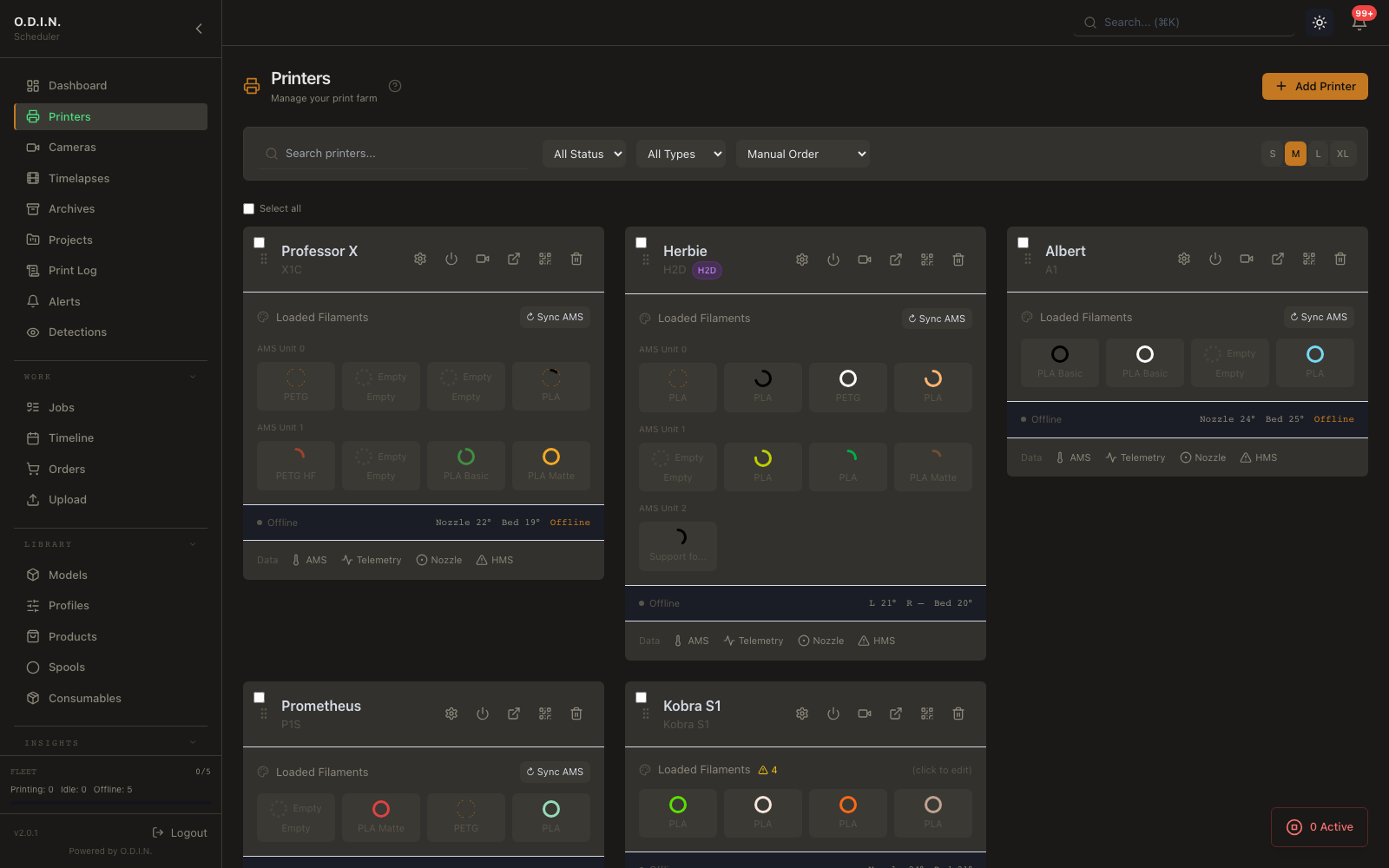
Your printers, cameras and queued work in one place.
O.D.I.N. brings the room together on hardware you own.
Start with Community. No credit card required.

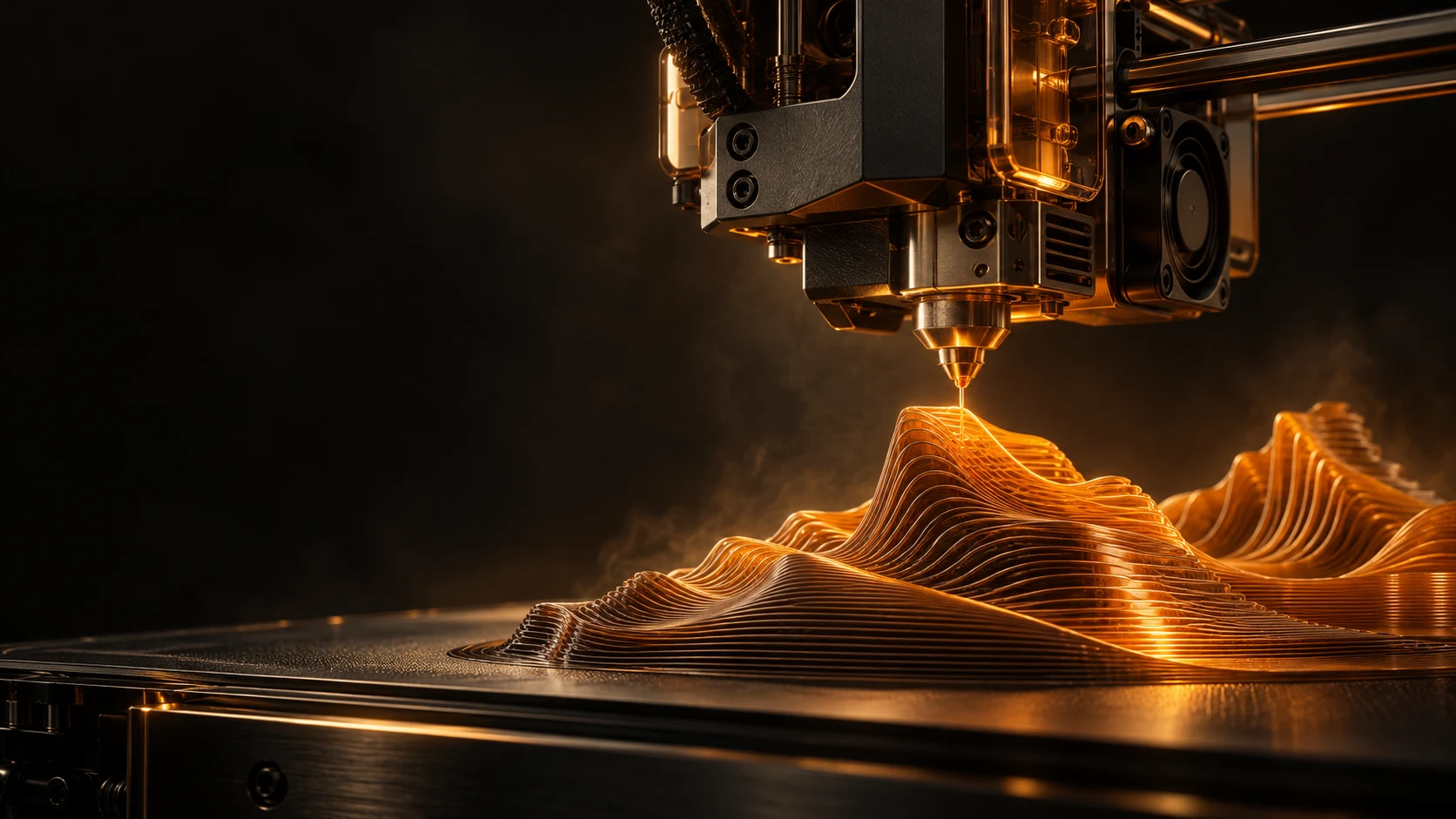
Concept artwork above. Real product screenshots below.
MADE FOR THE WAY YOU PRINT
One workspace.
Different kinds of busy.
From a growing farm to a shared school lab, give the work a clearer path.
For the print farm
Bring monitoring, queued jobs, materials and print history into the same daily workflow.
Explore farm toolsFor the classroom
Give students a submission path and teachers a review queue, with staff in control of the printers.
Explore EducationOn your infrastructure
Run ODIN in a Docker container. Keep your installation, printer connections and production data on your hardware.
Plan your setupOne dashboard for the printers ODIN connects to.
5 printer connection types. What each one can do differs by printer and protocol, as listed on every card.
Bambu MQTT
X1C, A1, P1S, H2D
- Connection: MQTT over TLS (port 8883), protocol v3.1.1
- Receives: temps, progress, state, AMS RFID, HMS errors, camera URL, fan speed
Moonraker REST
Klipper printers running Moonraker (for example Voron, QIDI, Sovol). A Kobra S1 or Kobra 3 set up as Moonraker is refused for job sending
- Connection: REST API polling (every 3 s)
- Receives: temps, progress, state, layers, fan speed, webcam URL
PrusaLink REST
MK4/S, MK3.9, MK3.5, MINI+, XL, CORE One
- Connection: REST polling
- Receives: temps, progress, state, camera snapshot, fan speed
Elegoo SDCP
SDCP printers such as the Centauri Carbon
- Connection: SDCP WebSocket protocol
- Monitoring plus pause, resume and stop; no job sending
- Receives: temps, progress, state, fan speed, enclosure temperature
Anycubic LAN mode
Kobra S1, Kobra 3
- Monitoring only; no job sending
iOS and macOS, built for different hands.
The iPhone app is a mobile companion — widgets, Live Activities, fleet status in your pocket. The Mac app is a desktop client — menu-bar presence, keyboard shortcuts, a split-view dashboard. Same server, different tools for the job.
iOS + iPadOS
Mobile companion
- WidgetsHome screen, lock screen, and StandBy — 5 families total
- Live ActivitiesDynamic Island progress, ETA, temps, layer count
- iPad Always-OnMulti-camera kiosk with auto-dim and idle-timer disable
- Scope by designMobile-first fleet monitoring and on-the-go control; web dashboard still owns vision, timelapse, and uploads
iOS 17+, iPadOS 17+. SwiftUI.
Download on the App StoremacOS
Desktop client
- 3-column split viewSidebar + content + detail, mirrors the web dashboard layout
- Menu-bar presenceFleet summary + quick actions without opening the main window
- Launch at loginSMAppService registration; toggle Dock / menu-bar-only mode
- Keyboard shortcuts⌘R refresh fleet, ⌘⇧P pause all, ⌘⇧E emergency stop
macOS 14+. Native Mac target, separate entitlements.
The web dashboard is home base for
Some things want a full screen. Handle these on the web dashboard served by your ODIN host — the macOS app has an "Open Web UI" menu item for exactly this.
visionOS is not currently shipped.
Built different. By design.
Three reasons operators choose O.D.I.N. over cloud alternatives.
Self-Hosted
Your data stays on your hardware. No cloud dependency, no subscription required to access your own printers. Works air-gapped after install.
Multi-Protocol
The only self-hosted tool that connects Bambu, Klipper, PrusaLink, and Elegoo printers from a single dashboard. Mixed fleets, zero compromise.
AI Safety
Vigil AI runs ONNX inference locally on camera frames — no frames leave your network. Spaghetti, detachment, and first-layer failure detection with auto-pause.
Start free. Scale when ready.
No per-printer fees. No cloud lock-in. Pay for features, not farm size.
Community
Get started with up to 5 printers. No credit card, no cloud account.
- Up to 5 printers
- Single user
- Real-time monitoring
- Job scheduling & queue
- Filament inventory
- Camera feeds
- Vigil AI failure detection
- MFA, IP allowlist & GDPR export
- Orders & profitability
Pro
Unlimited printers, unlimited users, and every production feature. $150 per year, or $15 per month once online checkout opens. Start with a free 14-day trial, no card needed.
- Unlimited printers
- Unlimited users & RBAC
- Everything in Community
- Orders, products & BOM
- Analytics & reports
- Maintenance & white-label branding
- SSO: Microsoft Entra ID, Google Workspace or generic OIDC
- Webhook & email alerts
Education
For schools, labs, and makerspaces. Approval workflows, quotas, and accountability.
- Everything in Pro
- Job approval workflow
- Print quotas per student
- User groups & chargebacks
- Usage reports
- Unlimited printers and users
- Self-hosted on infrastructure managed by your school
Enterprise
Air-gapped deployments and custom license terms.
- Everything in Education
- Audit-log CSV export
- Tamper-evident audit log with SIEM streaming
- Part traceability with signed certificates of conformance
- Controlled-part handling (CUI and export-controlled files)
- MQTT event republishing
- Air-gapped deployments
- ITAR mode documentation
- Custom license terms
- Priority email support (best-effort, 1 business day) and quarterly check-in calls
- Dedicated onboarding
Bring the control room online in one command.
No cloud account. No credit card. Pull the container, point ODIN at your printers, and keep the production data on your own hardware.
docker run -d --name odin --restart unless-stopped -p 8000:8000 -p 8555:8555/tcp -p 8555:8555/udp -v odin_data:/data ghcr.io/hughkantsime/odin:latest